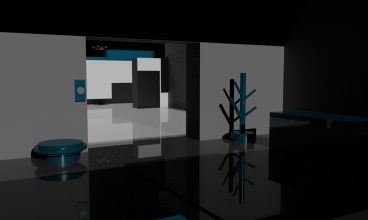
Within this product, I have opted for a static camera, meaning that the user won’t be able to move around in the scene themselves. However, I can still simulate movement within the scene in a few ways, while ensuring that the experience remains pleasurable and doesn’t pose any risk of causing sickness through animations.
Transitions
The most effective way of me simulating movement within my video, in the least sickness enduring format would be a fade to black transition. Fade to black transitions are made by fading out from the scene, to a black screen, and fading into the next scene when the cameras location changes. While decreasing the likelihood of the user experiencing motion sickness, it also creates a smooth transition between scenes without physical movement of the camera. An example of how a fade to black transition will play out is shown below
In the context of the storyline for my video, I have also suggested using a black object passing over the camera as a transition from the scene where you are ‘kidnapped’ to the tunnel illusion scene. This should once again minimise the risk of experiencing cyber sickness from a sudden transition, as opposed to the possibility of this happening if the camera rapidly moves into the van and then the door closes on you.
Environment
In addition to navigation considerations, the environment design and layout is something that can also help the user gain perspective on the scene. By placing objects on the floor at a suitable distance it will help the user understand that they are standing on the ground, instead of being suspended in the air for example. Furthermore, having a set layout (where applicable) will help the user feel safer in the environment, especially if they can see where their next move would be (such as being able to see the street through the door they’re about to go through).
From my initial research and planning, there will only be one scene where the user will know they are not on the ground. The scene in question would be the tunnel illusion scene, which with the help of objects flying through, this should direct the users attention towards them, rather than the fact they are suspended off the ground. However for the other scenes, I need to make sure the environment around the user is designed with enough details for them to be aware of their location and placement in the scene. This is where the camera placement will also be important, as having the camera at eye level will make the user feel normal about their position.
Overview
Transitions between scenes: Moving from one scene to another requires careful consideration due to the static camera. It’s important to ensure that the transition is smooth and does not pose a motion sickness risk to the user. Using fade to black transitions or subtle effects will help ease viewers into the next scene, and avoid sudden cuts and fast paced changes that can disorient the viewer.
Orientation hints: Since the camera is static, viewers may need additional hints to help them understand their orientation within the 360 video. Visual cues such as objects or text that indicate which direction the viewer supposed to be facing (in relation to the narrative), or using audio cues such as sound effects will help improve the users immersive experience.
Mindful of Immersive Environment: It’s important to have an environment within the virtual space which is designed with the user in mind. This means including objects and correcting camera placement so the user is aware of where they are and where they may be going next.