What is Digital Affordance?
In the context of virtual reality and 360 video, digital affordance refers to the capabilities of software and virtual reality hardware that allows users to interact and view objects or environments within a VR space.
Digital affordances within virtual reality are designed to replicate real world experiences, allowing users to interact with virtual objects as if they were real scenarios. For example, some virtual reality games allow users to interact with objects within the game environment, such as picking up and moving objects using controllers or in some cases, gestures that are tracked with special cameras. Additionally digital affordance can also refer to functionalities of the virtual reality hardware or software itself, like the ability to understand movements or gestures, or even present spatial audio (audio that is relative to where you are looking for example). These aspects can influence how users interact with the virtual video, and can help improve their experience with your product.
In relation to my project, I won’t be using any physical controllers which means the user will be limited to a 360 view and movements that are predetermined during the production. This therefore means there needs to be careful consideration about audio, the colour of assets and lighting in order to direct the viewer to certain actions and events that will give them a better understanding of the narrative.
Colour
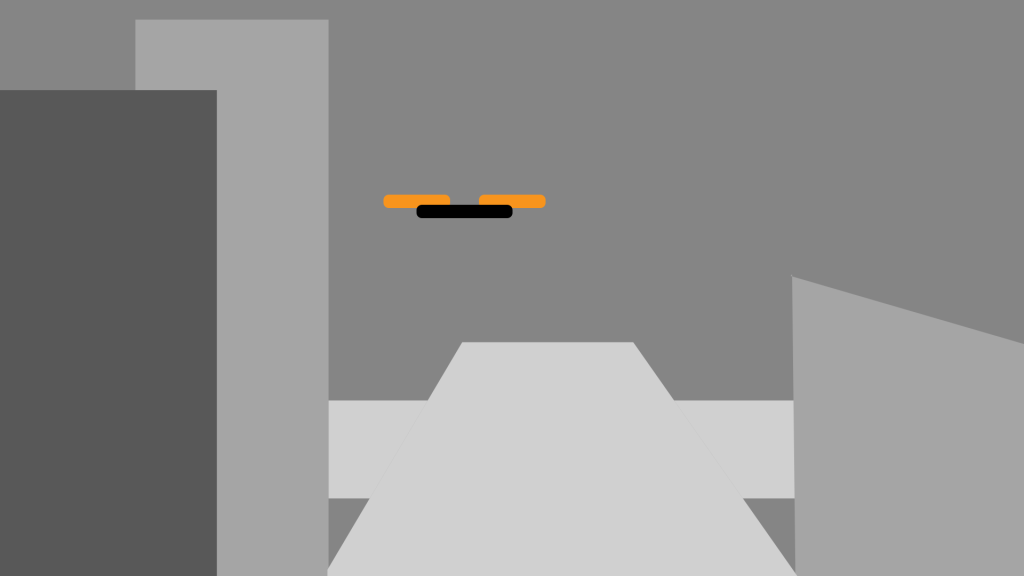
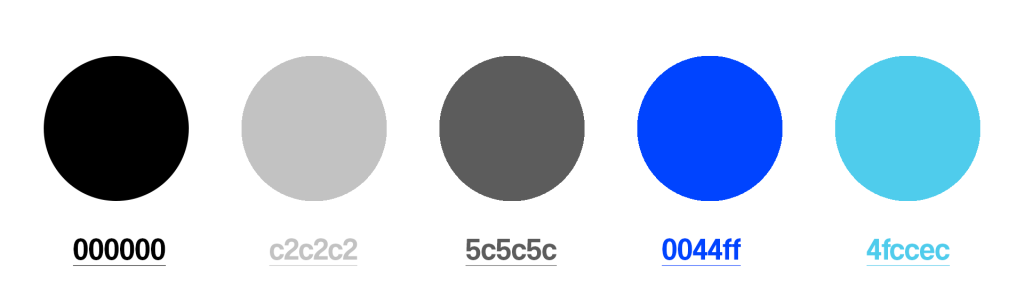
As discussed in my research, I will be operating with a limited colour palette for my final project to achieve a dystopian/futuristic aesthetic. Consequently, many assets will be textured with basic colours, such as grey, white, and blue(similar to the colour icons in Figure 1). While colour is unlikely to influence the user’s direction of view in most cases, the van’s colour during the crash scene, may serve as a focal point. Furthermore, a few assets will feature more vibrant colours, such as the flying drones or even a small object like a rolling piece of rubbish, to serve as directional alerts for the user.
Audio
Audio is a key aspect within virtual reality, which is why I intend to use audio as a way to direct users towards a specific action. For example, the sound the drones make when flying over the user will hopefully direct them towards it and follow its flight path. In addition the sound of the sliding door opening and closing will keep the user focused on that exit, indicating thats where they will leave the room from into the next scene. These audio clips will most likely be taken from external sources, however if I am able to, I’d prefer to record them myself to keep my project entirely original. However I understand some sounds are harder to replicate, such as a large glass window smashing. All of these sound effects will be carefully chosen and then edited in time with specific scenes to match the atmosphere.
Usually with projects like this, I like to have ambient music throughout so the project is not silent at times when there is no speech or action. However, I believe for this video to be immersive, silence or occasional sound will match with atmosphere well and create an eerie feel to the piece.
Intended Audio List:
- Sliding door
- Drone buzz
- Remote control car
- Smashing glass
- Car door opening
- Psychedelic ambient music (Tunnel scene)
- Laser sound
- Ambient city sound
Lighting
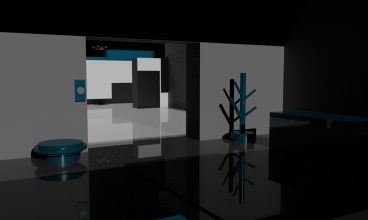
Since the first part of the video will be set in the alleyway, the lighting will not necessarily direct the user to any specific action. I intend to keep the lighting accurate to a day time street for the alleyway scenes, with less light at the start when inside the room. Once the user is within the secluded room, the lighting will be potentially be a lot darker with the only light directed on the centre table with the model city on.
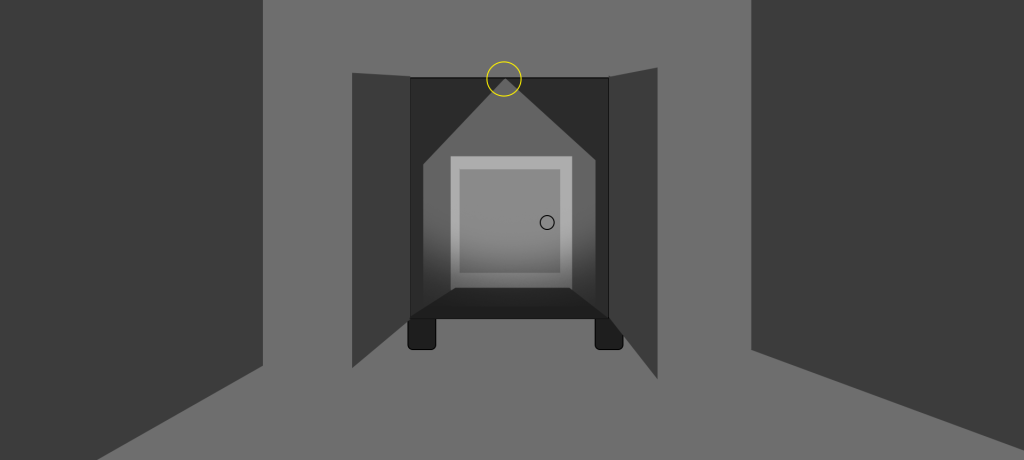
Below is a rough example of how the lighting would look in a scene, such as the back of the van scene where you are investigating the vehicle that just smashed through the window. This just an example of how it could look, but this specific scene would most likely have light from the sky which would illuminate the scene, with the back of the van being darker.
Assets
Beyond atmospheric elements such as lighting and audio, there is an opportunity for assets to be used within the scene to direct the users attention to an upcoming action for example. In the context of my product, this could be the drones flying around and landing on the idle van, prompting the user to direct their attention towards the van, ready for what happens next. This would also help with reducing cyber sickness potentially, as the user would be expecting to see those assets in the next scene after they are teleported there.
In addition to the animation of these assets, colour can be reconsidered within this area too. Since I am operating with a muted colour palette, using a bright coloured object within this environment will attract the users attention to this specific object and therefore the direction and destination. Below I have created a simple image of how an orange drone would look inside a city full of muted coloured buildings, therefore standing out and attracting the users attention to its flightpath: